The planner that's still here when you come back.
Calm, clickable planners built for uneven energy, lost time and fresh starts. Skip a day, a week, a month. Nothing to catch up on, no guilt waiting for you.
- Instant download
- Pay once, no subscription
- Every link checked before release
- Files don't work? We fix them or refund you
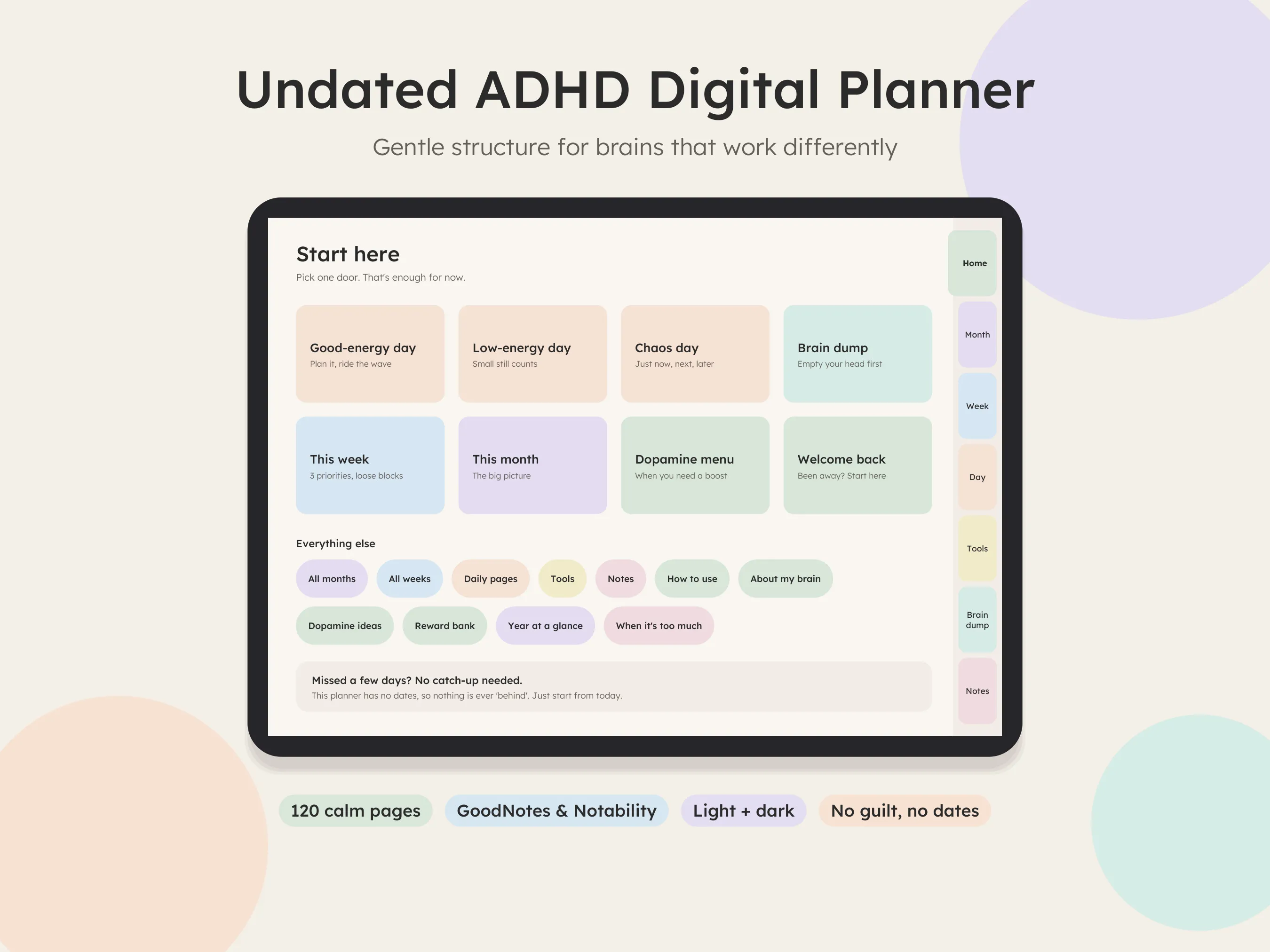
Sound familiar?
Most "ADHD planners" are normal planners with a new label. These were designed around the exact moments where planners usually get abandoned.
You skip a few days, and the empty pages make you never open it again.
A Welcome back page and undated options. Nothing to catch up on, ever.
Your planner expects the same energy every day.
Good-energy, low-energy and chaos-day pages. Pick the one that fits today.
You lose 10 minutes just finding today's page.
Tabs on every page. Anywhere in two taps.
"It'll take 5 minutes" (it took an hour).
A gentle time guess vs actual table to notice, not judge.
You freeze in front of a big task.
Brain dump, tiny-first-step task breakdown, and a dopamine menu.
800 pages of pretty clutter you never use.
Calm, low-clutter pages with big writing spaces. Light or dark.
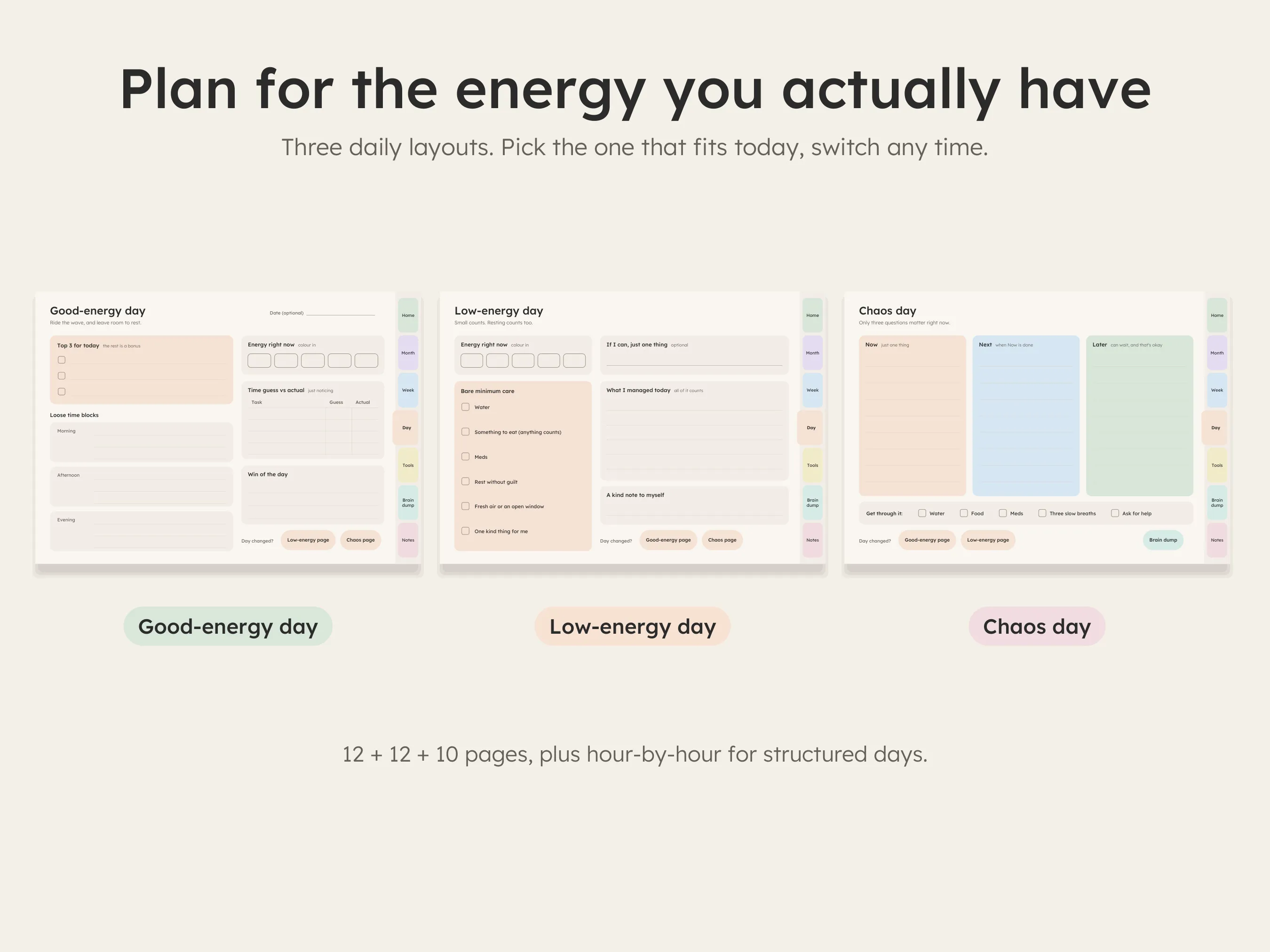
Plan for the day you actually have
Good-energy day: a top 3, loose time blocks and time guess vs actual.
Low-energy day: bare-minimum care (water, food, rest without guilt) and "what I managed today".
Chaos day: just Now, Next and Later. Nothing else.
Day changed halfway? Tap a button and switch. All of it counts.
Which one is for you?
Four options, one question: how do you like to plan?
How it works
No apps to learn, no account to create.
- 1Buy and download
Your files are ready right after checkout. No waiting, nothing shipped.
- 2Open it in your app
Import the PDF into GoodNotes, Notability, Samsung Notes, Xodo or similar. The Read Me First guide walks you through it.
- 3Tap and write
Tap the tabs to move around, write by hand or keyboard, and duplicate any page you need more of.
The "it has to work" promise
If a file won't open, or the links don't work in your app, email us within 14 days. We'll help you set it up or send a fixed file, and if we can't make it work, you get a full refund. Bought the wrong version? We'll swap it.
Real person, real replies: hello@tinywinsplanner.com · Full refund policy
Quick answers
Will it work on my device?
If you can open a PDF in a note-taking app, yes: iPad (GoodNotes, Notability, Noteshelf), Android tablets (Samsung Notes, Xodo, Noteshelf, Penly) and phones. If the files don't work for you, we fix them or refund you.
What if I stop using it for a while?
That's expected, not failure. Come back to the Welcome back page and start from today. With undated pages nothing is "behind".
Is it a subscription?
No. You pay once and keep the files. Use them for as long as you like.
Your next fresh start can be today.
No catching up. Just open the planner and pick today's page.
Find my planner